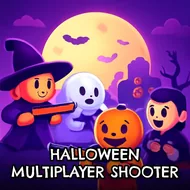
Halloween Multiplayer Shooter
Instructions:
Controls WASD or arrow keys to move Left click to shoot C to crouch R to reload F to pick up a gunDescription
Halloween Multiplayer Shooter In-Depth Review and Guide
Combat Mechanics and Objective
Wrapping standard team-based shooting mechanics in a Halloween theme gives this one a bit of seasonal flavor without changing the underlying formula too dramatically, tasking you with eliminating opposing players across a rotation of available game modes. Picking up weapons scattered around the map and managing a growing arsenal through the in-game shop adds a light strategic layer on top of the core shooting, since a well-chosen loadout purchased between rounds can noticeably shift the balance of a match. Both multiplayer and single-player options mean the format works well when you have friends online and also holds up if you simply want to practice against the game's own systems.
Control Scheme
- WASD or the arrow keys handle your character's movement across the map.
- A left click fires your currently equipped weapon at visible enemies.
- C crouches, useful for ducking behind cover during an exchange of fire.
- R reloads your weapon, while F lets you pick up a new gun.
Top Tips
Visiting the weapon and armor shop between rounds rather than skipping it entirely tends to keep you competitive against players who consistently upgrade their loadout, since a mismatched arsenal shows quickly once real firefights begin. The Halloween theming adds a small but noticeable layer of seasonal charm on top of an otherwise standard team shooter formula, and switching between the available game modes regularly keeps a longer session from ever settling into a single repeated rhythm across successive matches against the same opponents.