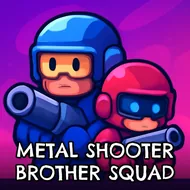
Metal Shooter Brother Squad
Instructions:
Use mouse to controll the joystick in the game Press S to fire with the gun D is to throw grenade and SPACE is to jumpDescription
Metal Shooter Brother Squad: A Beginner's Guide
New players jumping into this side-scrolling shooter should expect a steady rhythm of firefights against waves of enemies, punctuated by tougher boss encounters that demand a bit more caution than the regular soldiers leading up to them. Taking a moment early on to get comfortable with the joystick-based aiming before rushing into a crowded firefight tends to pay off, since precise positioning matters more here than raw reaction speed alone. The retro-style visuals also help newcomers read incoming threats clearly, since enemies and projectiles stand out sharply against the background art.
How To Play
- Move the on-screen joystick with the mouse to aim your character's weapon.
- Press S to fire at enemies within range of your current position.
- Press D to throw a grenade at clustered enemies or tougher targets.
- Press Space to jump over obstacles or reposition during a hectic firefight.
Score-Boosting Tactics
- Save grenades for clustered enemy groups rather than single, isolated targets.
- Unlock new weapons steadily and test each one against different enemy types.
- Upgrade abilities that complement your preferred playstyle rather than spreading resources too thin.
- Study a boss's attack pattern during an early attempt before committing to an aggressive push.
Playing through the campaign's earlier, more forgiving missions before tackling its toughest boss fights tends to build a real feel for the joystick-based aiming, and that familiarity pays off considerably once later stages start throwing multiple tough enemies into the same tight side-scrolling corridor at once, testing both patience and precision under real pressure.