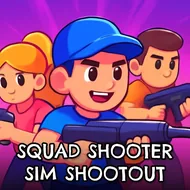
Squad Shooter Sim Shootout
Instructions:
Mouse click or tap to playDescription
How To Play Squad Shooter Sim Shootout
Control Scheme
- Click or tap to fire your weapon at enemies in range.
- Aim carefully before shooting since blocky targets don't stay put for long.
- Move through each mission zone by tapping in the direction you want to walk.
- Watch your surroundings, cover matters more than you'd think in these blocky corridors.
- Chain accurate shots to clear rooms faster before backup arrives.
- Complete objectives to push through to the next combat scenario.
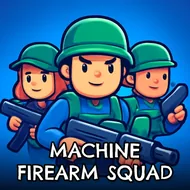
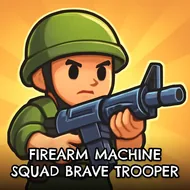
The setup is simple but it works: you're dropped into a world built from chunky, cube-shaped everything, tasked with clearing out waves of equally blocky opponents. There's a loose military framing running through it, missions, squads, tactical language, but really it plays like a shooting gallery dressed up in Minecraft-style clothing. The atmosphere leans goofy rather than grim, which fits the low-poly art style, and that combination of serious mission briefings with silly cube physics gives the whole thing a lighthearted, almost self-aware sense of humor. Nobody's pretending this is a war documentary.
Highlights
What makes this one worth a few rounds is how little friction there is between you and the action. One click, one shot, no fumbling with complicated aiming reticles or overloaded menus. The blocky visuals aren't just a gimmick either, they make enemies easy to spot against the terrain, so even hectic firefights stay readable. Missions escalate at a decent pace, throwing more targets at you as you go, and there's a small satisfaction in clearing a room clean without wasting shots. It's not trying to be a tactical shooter with deep strategy layers, and it doesn't need to be, the charm here comes from picking it up for five minutes and just clicking through chaos. Funny, fast, and light on its feet, it's the kind of thing you open when you want quick trigger-happy fun without a learning curve standing in the way.