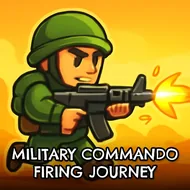
Military Commando Firing Journey
Instructions:
Movement Arrow Keys WASD Fire Left Mouse Click Zoom Right Mouse ClickDescription
Play Military Commando Firing Journey 100% Free
No installer, no waiting around for a download bar to crawl across the screen. You click the tab, the browser loads it up, and you're already checking your ammo count. That matters more than people admit — half the fun of a quick shooter fix is not having to commit fifteen minutes to setup before you fire a single shot. Play it on a lunch break, on a laptop that's begging you not to install anything else, whatever. It just runs.
How To Play
- Move around the map using WASD or the arrow keys, whichever your fingers land on naturally.
- Left mouse click sends rounds downrange — hold position and squeeze off shots as targets pop into view.
- Right click zooms your scope in, which is basically mandatory once enemies start hanging back at distance.
- Push through each level's layout, since cover and sightlines shift as you advance further in.
- Manage your weapon choice for the situation in front of you — rifles for range, close-quarters guns when things get messy.
Top Tips
- Don't sprint into open ground just because it looks empty. It usually isn't.
- Zoom before you fire on anything past mid-range — spraying blind wastes ammo and gives away your position.
- Learn each level's chokepoints early. Commando maps tend to funnel action through the same two or three corridors.
- Switch weapons based on distance rather than habit; sticking with one rifle the whole match will slow you down.
- Reposition after every few kills. Standing still in a 3D shooter like this is basically an invitation to get flanked.