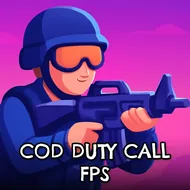
COD Duty Call FPS
Instructions:
WASD - move Space - jump mouse - aim and shoot shift - runDescription
COD Duty Call FPS: A Beginner's Guide
New players stepping into this near-future military shooter should expect a genuinely story-driven campaign rather than a purely arcade-style shooting gallery, following a special forces operative through a series of missions spanning urban warzones and covert enemy facilities. Taking a moment early on to get comfortable with basic movement and aiming before rushing into the first serious firefight pays off considerably, since later missions demand noticeably sharper reflexes and better positioning than the introductory sections require.
Controller & Keyboard Guide
- WASD handles all of your character's movement across each mission's environment.
- Space triggers a jump, useful for clearing obstacles or repositioning during combat.
- The mouse aims your weapon, with a click firing at any hostile target in view.
- Shift activates a sprint, letting you close distance or retreat more quickly when needed.
Top Tips
Using available cover consistently rather than pushing into open ground tends to keep you alive far longer during the campaign's more intense firefights, since enemy accuracy in tighter urban sections can punish careless positioning quickly. Sprinting between cover points rather than walking also reduces the amount of time you spend exposed, which matters considerably once a mission introduces multiple enemies firing from different angles at once. Working through the campaign's missions at a measured pace, rather than rushing toward the next objective, tends to reveal more of the story's context while also keeping your character alive through its more demanding later stretches. The story-driven framing also gives individual missions a bit more weight than a purely score-based shooter would, since each objective ties directly into the larger campaign's central mission to prevent a looming global catastrophe.